Tuesday, June 11, 2013

Review: Christianity Cove

 photo christianitycovelogo_zpsb3aa66f4.jpg

As a Sunday School teacher, I am always looking for fresh ideas to keep my lessons interesting. As a mother, I am on the lookout for interesting and creative ways to pass on my faith to my children, and to initiate spiritual discussions.  When given the opportunity to review two different sets of lessons from Christianity Cove, I signed up right away!

We were given the opportunity to review Daily Dilemmas: 26 True-To-Life Devotions for Kids and Bible Science Experiments through The Old Schoolhouse Review Crew.
Daily Dilemmas

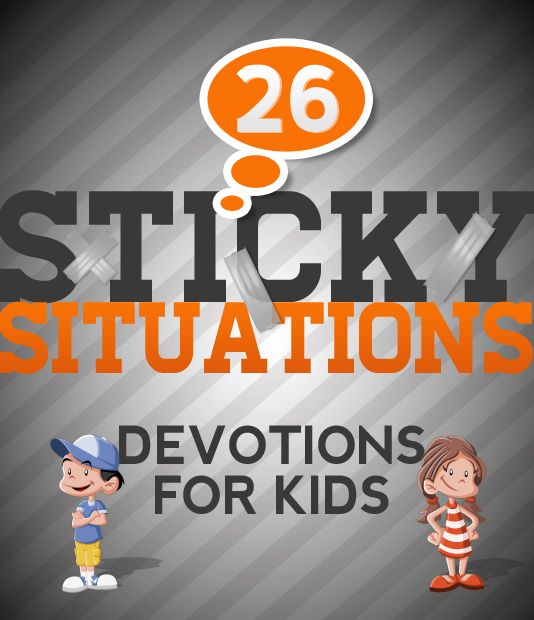
Daily Dilemmas is a 60 page downloadable e-book that covers moral topics that children ages 6-12 might face on a daily basis. There are 26 real life scenarios given, and they are very relatable for children!  These can be used as teaching moments when parents notice a struggle in a certain area (thanks to the handy topic index that is included) or they can be used as daily devotions, preparing for a situation before it arises in the child's life!

A quote from the author, Mary-Kate Warner:
 
Devotions are the single most effective way
to prepare children to respond honorably in
life's defining moments.
Each devotion is set up this way:
  1. The story is presented for the parent or teacher to read to the children. The stories are interesting, and will present a problem (moral dilemma or 'sticky situation') that the children in the story are facing.
  2. Scriptures to read that help the student decide what the children in the story should do.
  3. Possible solutions for the teacher/parent to read, to help guide the students in their thought process. Students first listen to the Scriptures, then think about the possible solutions in light of those verses. They can then be guided into choosing the best solution to the dilemma presented.
  4. Reflections for the teacher include some key ideas that the teacher can emphasize while guiding the discussion.
I made a word cloud to represent some of the more common themes of these devotions:


How we used these lessons: I read them to the girls, shared the Scripture, gave them the four options, and then listened to their responses. Though there were none that addressed any current crises personally, I truly believe it is prudent to prepare children for trouble spots that they will face eventually in their lives. Sometimes we would take one or two of them and use them for dinner table discussions!
 
What I really like: I love that these devotions only take a few minutes. I am a big believer that devotions should be enjoyed by children. It is not a time to correct all the wrongs, but a time of sincere family fellowship around God's Word. In just a short time, you can really teach a lesson that will "stick".  I also like that there is no preparation time involved. You can pick up this devotional book at any time, read a devotion (or more) and have a complete lesson without a lot of prep work, because everything you need is laid out right there.
 
A unique idea: Since this book has 26 lessons, it would be easy to go through it once a month with younger children.
 
My wish list: If there was one thing I could change about these lessons, I would have them use King James verses in the lessons so we wouldn't have to look them up separately and I could just read them to the girls from the lesson page.
 
Want to read a sample lesson? If you click this link,  it will take you to a sample lesson that covers the topics of stealing and peer pressure.
 
Interested in purchasing? If you visit the Christianity Cove website,  you can purchase the e-book for $29. You will receive the download right away after purchase, and you can then print it out at home if you wish, or use it on your browser. (Personally, I like printing out the lessons and keeping them in a 3 ring binder). The company offers a 60 day money back guarantee.
 
Bible Science Experiments



It is not just boys that like cool science experiments, although I think that using science experiments as object lessons is a GREAT way to arrest a young boy's attention and get them to slow down long enough to observe, think about what they are seeing, and listen to their parent or teacher show them how it applies to God's Word!
 
This downloadable e-book is 55 pages long and contains 25 simple experiments, each with a short supply list, an applicable Scripture verse, and instructions to complete the experiment. There are also discussion questions (and simple explanations) about the science aspect, as well as the spiritual application (understanding God).  The experiments are broken down into five categories, containing five experiments each: 
  1. Light
  2. Color
  3. Motion
  4. Magnetism
  5. Gravity
 To watch a sample video lesson about gravity, click here.

How we used these lessons: I not only was able to try out some of these lessons with the girls, but I also took one into my Senior High Sunday School class. The lessons were well received by all. 

What I really like: Again, I loved the simplicity of the lessons. Nearly all the materials are common, everyday household items which are more than likely already in your house like they were mine. No putting off the experiments while waiting for shopping day to roll around! Also, the scientific explanations are simple enough that children can easily understand, but deep enough to still be interesting and 'neat' to a teen. (Although the lessons are recommended for the 6-12 age group, I thought they could very easily adapt to a younger or older class).

If I could change: Again, it would be that the lessons used King James for the verses included.

To purchase: At the time of this review, the Bible Science Experiments e-book can be purchased from Christianity Cove for $25. (regular price is $39.95). Soon after paying, you will receive the e-book to download to your computer, where you can print the lessons or use them on your browser.

Some fun pictures of Kelly and I discussing the lesson "Using Bubbles to See Colors". We got to blow some bubbles, then examine them closely. We saw how they differ. The discussion that followed explained that people are unique individuals, just like the bubbles are. Even though we each are different, God loves all of us the same, and salvation is freely available to each one of us, no matter what we have done. We had a lot of fun spending time together blowing bubbles, and I believe the time spent opened up the door for the discussion afterwards, giving me the opportunity to "pass down" some of my faith to Kelly in a fun way that she could understand clearly.


Christianity Cove has a long list of Sunday School lessons that can easily be adapted to a class or homeschool setting, and can also be adjusted for age and understanding levels. I highly recommend visiting some of the reviews of other Crew members to see what is available and how you can use it!


Photobucket
 
Copyright 2012-2013 - "Be The One" - www.aclassofone.blogspot.com  All rights are reserved. No text, photos, or content may be reproduced without direct permission from the author.
 
 
 photo Disclaimer2_zpsff718028.gif

Tuesday, June 4, 2013

Blogging Through The Alphabet - L

L is for LEGO Building


Most families, including ours, have their fair share of Lego sets. They are fun, addictive, and a great project for kids! My girls like them and I am always on the lookout for sales and coupons to offset the price. Often we have gotten the girls a new Lego set for special occasions, and several sets have gotten us through some difficult hospital stays.

So what do you do when you have bins full of Lego's but have either lost or worn out the instructions? My girls are the type who like to follow the instructions step by step to build an intricate project that looks just like the picture!

I came across an independent website (that is not affiliated with the Lego company) that has listed ALL the Lego projects that have ever been made. You can find the project you would like to make, click on those instructions, and have the step by step pictures for building that Lego creation right at your fingertips! If you leave it on a browser for the kids to use, you don't even have to print it out! They can just click through the pages.

While I do try to save the instruction booklets, it's great to know that a resource like this is available if we need it, or if we want to take a big bin of Lego's and try out something new!


Copyright 2012-2013 - "Be The One" - www.aclassofone.blogspot.com  All rights are reserved. No text, photos, or content may be reproduced without direct permission from the author.

This post is linked with Blogging Through The Alphabet at "Ben and Me" and also with FreeBEE Fridays at "Kathy's Cluttered Mind."

Homeschool FreeBEE FridaysBlogging Through the Alphabet

Monday, June 3, 2013

Review: Motherboard Books

Motherboard Books Logo photo motherboardbookslogo_zps225f4801.jpg


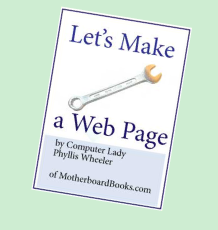
We have added more computer skills to our homeschool this past year than we ever have before! The children have really enjoyed learning how to do cool things on the computer, and I appreciate the opportunities for them to be more 'computer literate', as it is an absolute necessity in the world we live. I laugh when they find it hard to believe that I grew up without a computer...or a cell phone....or....  We were given the opportunity to review a program called Let's Make A Webpage!  from Motherboard Books through The Old Schoolhouse Review Crew.

This instructional program was written by Phyllis Wheeler, the Computer Lady who is a veteran homeschool mom. Since she couldn't find an appropriate computer science curriculum for her own children, she decided to create one! She now has several Computer Science Programs available for homeschool families.


Let's Make A Webpage! is a downloadable e-book designed for ages 8-12. It is 60 pages long, and is written in very easy to read and understand language. It utilizes a program called Visual Site Designer from Coffee Cup for web building purposes. Visual Site Designer is compatible with Windows 7, 8, Vista, and XP, but not Mac. The program itself sells for $49 but you can download a free trial version of the program that will give you plenty of time to work through this curriculum and complete a short term project, learning some of the basic ins and outs of building a webpage.

Topics that are covered:
Lesson 1: An Interview
Lesson 2: Download and Set Up the Program
Lesson 3: Add Text
Lesson 4: Make a Table
Lesson 5: Add Photo
Lesson 6: From the Internet, Add Animations
Lesson 7: Browser Check, Backgrounds, Photos
Lesson 8: Sound
Lesson 9: Links
Lesson 10: Post Your Work
Appendix: How to Upload to the Internet


There is also a helpful troubleshooting guide.

How we used this book: The first thing I did after downloading the book was print it out and put it in a 3 ring binder. That just makes it easier to flip through the pages. I initially intended to review this product with Laura, who is over the recommended age (she's 15), but was interested in the subject matter and agreed to try it out. She found the material in the book a bit juvenile (as we expected it would be) and quickly lost interest. So I passed it on to Melissa (age 11). While Melissa has some basic working knowledge of the computer, (she can complete a research paper in MS Word and do some basic internet surfing), she has no experience with web page building or with most of the topics in this program. Perfect! This would really let us try it out with her!

Motherboard Books claims that a 10-12 year old could use this program with little to no parental involvement. I think that's about right. I have purposely tried to let Melissa take off with the program and see what she could create.  While initially not too interested in learning how to make a webpage, she has enjoyed allowing her creative side to flourish and has come up with several great ideas to add to her webpage.

Emphasis on creativity: The book instructs the student to choose a person to interview; then create a webpage about that interview. Instead, Melissa decided to take the instruction and apply it to creating an "All About Me" page. She tried out various backgrounds, added pictures, and listed some of her favorites. She found a few frustrating moments along the way when things didn't quite work the way they were supposed to, but mostly it was just a lack of experience on her part, not knowing how to fix some simple things beyond what the instructions of the book gave. Overall, I think she experienced some satisfaction seeing her webpage creation, and she has come up with several other ideas for various pages she would like to create, utilizing the knowledge gained from this program.

Even mom tried it out: I went through the entire book and created an "All About Me" webpage, complete with sound and animations, in a little over an hour. Granted, I have some limited experience with these things, but I still like the fact that a young person could easily get through this program and actually have tangible results pretty quickly! Even though I have some experience with blogging and computers, there was still a lot of little things I learned while going through this e-book, which fulfills my wish for thorough instruction when using a curriculum. It also gave me a degree of confidence that I might be able to step outside premade blogging templates and someday build a website of my own, because it really is fairly simple!

What I really appreciate: I have enjoyed the attention to details in this program. It seems to really attempt to have the student understand what they are doing, and learn skills that are transferable to other computer software and programming. I also like that Phyllis Wheeler seems to really care for the student as an individual. She promotes things like staying safe on the internet, and using reputable websites, and instructs the students on recognizing harmful files so that they do not download something that will ruin their computer. I also like the language that the book is written in. By that, I mean that it is enjoyable and easy to understand.

Things that are difficult: The coffee cup software is continually updating. Because of that, there will be some instructions in this book that will vary from what you see in your trial version of the program. We only found two minor glitches, but it probably means that this won't be a book that I can keep around and have Kelly go through in a few years. Also, the coffee cup software is only a short trial version. Just about the time that you get really used to using it, and start really taking off with your webpage building, your trial runs out, and you have to make a decision about either purchasing the program, or finding a different program to take your newfound knowledge to, and start over again. We also had some difficulties using the Visual Site Designer program, which had nothing to do with this e-book or curriculum, but added some frustration to the entire review process.

How to purchase: Let's Make A Webpage! can be purchased from the Motherboard Books Website for $19.95. You will receive the book in a format that you can download to your computer.

Final thoughts: I think this is a program worthy of consideration if you have a middle school student who is very interested in computers, and is motivated to learn how to build their own website. I love the thorough training as well as the emphasis on creativity. The student who used it here is not particularly interested in computers, but she was well able to understand the material and did enjoy the program. I will be looking into the Website ABC's program for my high schooler who is interested in learning web building but thought this program was too young for her.

A freebie: Along with the e-book, Motherboard Books sent along a free Internet Scavenger Hunt for the kids to complete, which is a fun way to learn how to find unusual facts on the internet. Who doesn't love a freebie??

If you would like to read what other Crew members thought about this program, please click the banner below.


Photobucket
 
Copyright 2012-2013 - "Be The One" - www.aclassofone.blogspot.com  All rights are reserved. No text, photos, or content may be reproduced without direct permission from the author.

 
 photo Disclaimer2_zpsff718028.gif